
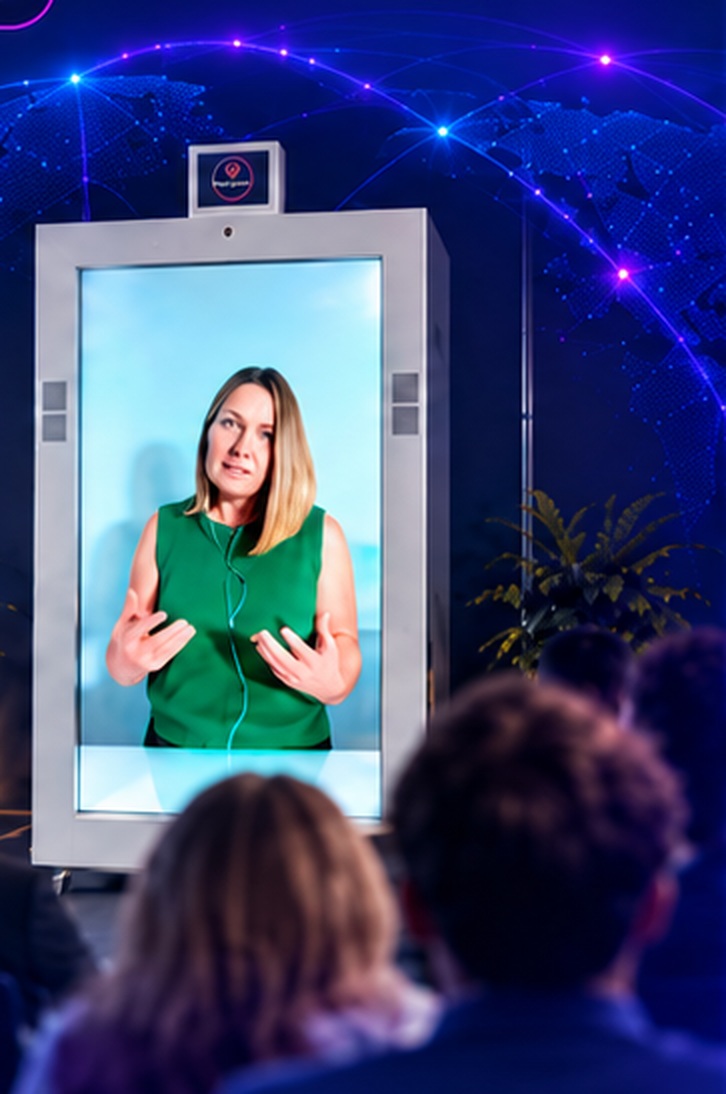
Start with sightlines
Place the unit where the intended audience can see the person clearly without blocking exits, walkways or important room activity.
Good use of Feelspace should reduce friction rather than create it. If start with sightlines requires so much explanation or setup that the audience loses sight of the purpose, the design needs simplifying. The strongest version of “How to prepare a room for a Feelspace session” is one where the technology supports the flow and then becomes secondary to the person, message or activity.
Treat audio as a room problem
The remote person needs to hear the room and the room needs to hear the remote person. Larger spaces may need additional audio support.
Finally, organisations should review the experience after it has been used. The first session can reveal practical details about room layout, timing, audience behaviour or presenter preparation that are difficult to predict on paper. For “How to prepare a room for a Feelspace session”, those observations can be used to refine treat audio as a room problem before the format is repeated or scaled.
Check the connection early
Run a technical test before the audience arrives and know the fallback process for a live connection.
The human behaviour around the technology matters just as much as the hardware. People need to know who the remote person is, why they are joining and what kind of interaction is expected. In “How to prepare a room for a Feelspace session”, good preparation helps the audience focus on the person and the content rather than trying to work out how the system is supposed to be used.
Decide who is hosting locally
A local host can introduce the remote person, manage questions and handle practical issues during the session.
Good use of Feelspace should reduce friction rather than create it. If decide who is hosting locally requires so much explanation or setup that the audience loses sight of the purpose, the design needs simplifying. The strongest version of “How to prepare a room for a Feelspace session” is one where the technology supports the flow and then becomes secondary to the person, message or activity.
Keep the physical space uncluttered
Allow safe access around the unit and avoid unnecessary competing screens or visual distractions.
A useful boundary is to compare the Feelspace option with the simpler alternative. If an ordinary video call, recording or in-person visit will do the job just as well, there may be no reason to add another layer. Where keep the physical space uncluttered materially improves the way the remote person can contribute, life-size presentation becomes a more purposeful choice.
A good Feelspace session starts before the connection opens: room, sound, sightlines and local hosting all matter.