
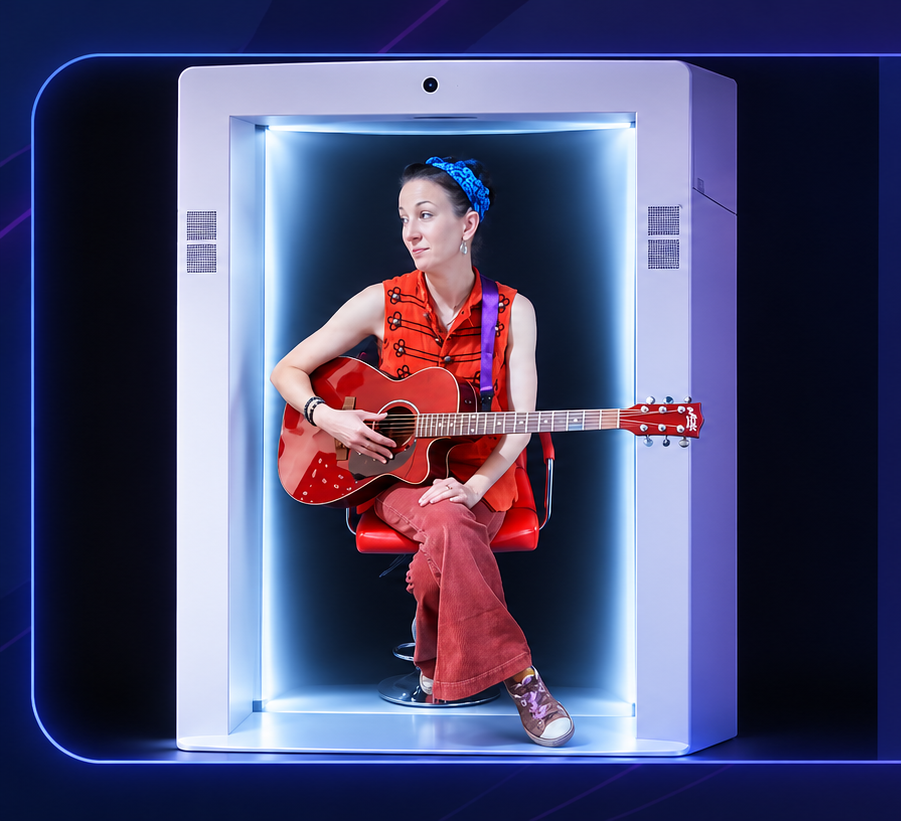
Remote does not have to mean 'on the big screen'
A keynote can join from elsewhere without automatically becoming a large rectangular video feed. Life-size telepresence gives the speaker a dedicated position on the stage.
The format should remain transparent. Feelspace can make a remote person feel more naturally placed in the room, but it does not erase distance or turn a remote appearance into physical attendance. Thinking clearly about remote does not have to mean 'on the big screen' helps set realistic expectations and keeps the experience grounded in what the person can genuinely contribute from their location.
Stage integration matters
Sightlines, lighting, introductions, microphones and any supporting screens should be planned around the remote speaker from the beginning.
Preparation becomes easier when the session is broken into roles. The remote person needs to know what they are responsible for, the local host needs to know when to step in, and the audience needs a clear way to participate. Applied to “Making a remote keynote speaker feel part of the stage”, that role clarity can make stage integration matters feel deliberate rather than improvised.
Rehearse the handover
The transition from the local MC to the remote keynote should have clear cues so the audience and speaker understand exactly when the session begins.
Good use of Feelspace should reduce friction rather than create it. If rehearse the handover requires so much explanation or setup that the audience loses sight of the purpose, the design needs simplifying. The strongest version of “Making a remote keynote speaker feel part of the stage” is one where the technology supports the flow and then becomes secondary to the person, message or activity.
Keep interaction where it adds value
A live remote keynote can include audience questions, an interview with a local host or a short panel conversation.
The format should remain transparent. Feelspace can make a remote person feel more naturally placed in the room, but it does not erase distance or turn a remote appearance into physical attendance. Thinking clearly about keep interaction where it adds value helps set realistic expectations and keeps the experience grounded in what the person can genuinely contribute from their location.
Have a practical fallback
Backup audio, prepared holding content or a local host can protect the programme if a live connection is interrupted.
It is also worth deciding in advance what success would look like. That may be useful questions answered, a workshop completed, a speaker contribution delivered, a family moment shared or a customer conversation started. For Events & Conferences, the most meaningful measure is usually connected to the purpose of the session, not simply to how many people noticed the hologram.
The remote speaker should be designed into the stage — not added to it at the last minute.